InfoBedingungenDatenschutzKontakt
 
Wird aktualisiert
Tayasui Sketches School

Tayasui Sketches School

Veröffentlicht: 2018-03-26
© Tayasui
Tayasui Sketches School - QR Code
Version 2.8
4+
Laden im App Store
Version 2.8
4+
Laden im App Store
Veröffentlicht: 2018-03-26
© Tayasui

iPhone Screenshots

Screenshot
Screenshot
Screenshot
Screenshot
Screenshot

iPad Screenshots

Screenshot
Screenshot
Screenshot
Screenshot
Screenshot
Screenshot
Screenshot
Screenshot
Screenshot
Screenshot

Beschreibung

Because beautiful tools make beautiful drawings, we endlessly refined Sketches brushes to create the most realistic drawing tools.
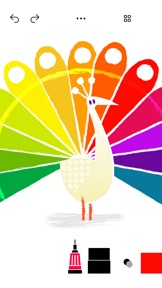
Sketches school is a special edition of Sketches targeted for a younger audience, with a specifically designed interface making it very accessible to kids.
Sketches is the most realistic, versatile and user-friendly sketching app designed for iPad. This exhaustive artist's toolbox helps users create dazzling sketches, cheerful paintings and smashing illustrations on the go.
• Features
- Over 20 ultra realistic tools
- Import photos
• Folders
Easily organize your drawings in beautiful and easy to personalize folders.
• Pressure Stylus support
Discover even more realistic brushes while Apple Pencil.
A Unique feeling: Each stroke behaves vividly and truly like a brush on paper, adapting the opacity, angle, and width to your movements.
• List of tools
- Pencil
- Marker
- Felt Pen
- Pen Brush
- Oil Pastel
- Watercolor
- Acrylic brush
- Airbrush
- Area and Filling tool
- Text
- Shapes
- Eraser
- Cutter
- Smudge tool
- Ruler
Subscribe to access to premium app features; subscription details are the following:
• Length: weekly, yearly
• Your payment will be charged to your iTunes Account as soon as you confirm your purchase
• You can manage your subscriptions and turn off auto-renewal from your Account Settings after the purchase
• Your subscription will renew automatically, unless you turn off auto-renew at least 24 hours before the end of the current period
• The cost of renewal will be charged to your account in the 24 hours prior to the end of the current period
• When canceling a subscription, your subscription will stay active until the end of the period. Auto-renewal will be disabled, but the current subscription will not be refunded
• Any unused portion of a free trial period, if offered, will be forfeited when purchasing a subscription
Terms of Use: https://www.apple.com/legal/internet-services/itunes/dev/stdeula/
If you have any questions please contact us: sketchesschool.help@gmail.com

Neue Funktionen von Version 2.8

Bug fixing and stability improvements

Anbieter

Informationen

Entwickler

Kategorien

Version

2.8

Größe

229,6 MB

Game Center

Nein

VPP Device Licensing

Ja

Bewertung

Altersfreigabe: 4+

Kompatibilität

iOS 14.0 oder neuer

Geräte

iPhone 5s, iPhone 6, iPhone 6 Plus, iPhone 6s, iPhone 6s Plus, iPhone SE, iPhone 7, iPhone 7 Plus, iPhone 8, iPhone 8 Plus, iPhone X, iPhone XR, iPhone XS, iPhone XS Max, iPhone 11, iPhone 11 Pro, iPhone 11 Pro Max, iPhone SE (2. Generation), iPhone 12, iPhone 12 Pro, iPhone 12 Pro Max, iPhone 12 mini, iPhone 13, iPhone 13 Pro, iPhone 13 Pro Max, iPhone 13 mini, iPhone SE (3. Generation), iPhone 14, iPhone 14 Plus, iPhone 14 Pro, iPhone 14 Pro Max, iPhone 15, iPhone 15 Plus, iPhone 15 Pro, iPhone 15 Pro Max, iPhone 16, iPhone 16 Plus, iPhone 16 Pro, iPhone 16 Pro Max, iPhone 16e, iPhone 17, iPhone 17Pro, iPhone 17ProMax, iPhone Air, iPad (5. Generation) Wi-Fi, iPad (5. Generation) Wi-Fi + Cellular, iPad (6. Generation) Wi-Fi, iPad (6. Generation) Wi-Fi + Cellular, iPad Pro, iPad Pro (Cellular), iPad Pro (9,7 Zoll), iPad Pro (9,7 Zoll) (Cellular), iPad Pro (12,9", 2. Generation), iPad Pro (12,9", 2. Generation) Wi-Fi + Cellular, iPad Pro (10,5"), iPad Pro (10,5") Wi-Fi + Cellular, iPad Pro (11"), iPad Pro (11") Wi-Fi + Cellular, iPad Pro (12,9", 3. Generation), iPad Pro (12,9", 3. Generation) Wi-Fi + Cellular, iPad Air, iPad Air (Cellular), iPad Air 2, iPad Air 2 (Cellular), iPad Air (3. Generation), iPad Air (3. Generation) Wi-Fi + Cellular, iPad mini Retina, iPad mini Retina (Cellular), iPad mini 3, iPad mini 3 (Cellular), iPad mini 4, iPad mini 4 (Cellular), iPad mini (5. Generation), iPad mini (5. Generation) Wi-Fi + Cellular, iPad (7. Generation) Wi-Fi + Cellular, iPad Pro 11" (2. Generation), iPad Pro 11" (2. Generation) Wi-Fi + Cellular, iPad Pro 12,9" (4. Generation), iPad Pro 12,9" (4. Generation) Wi-Fi + Cellular, iPad Air (4. Generation) (Wi-Fi), iPad Air (4. Generation) (Wi-Fi + Cellular), iPad (8. Generation) Wi-Fi, iPad (8. Generation) Wi-Fi + Cellular, iPad Pro 11" (3. Generation), iPad Pro 11" (3. Generation) Wi-Fi + Cellular, iPad Pro 12,9" (5. Generation), iPad Pro 12,9" (5. Generation) Wi-Fi + Cellular, iPad (9. Generation), iPad (9. Generation) Wi-Fi + Cellular, iPad mini (6. Generation), iPad mini (6. Generation) Wi-Fi + Cellular, iPad Air (5. Generation), iPad Air (5. Generation) Wi-Fi + Cellular, iPad Pro 11" (4. Generation), iPad Pro 11" (4. Generation) Wi-Fi + Cellular, iPad Pro (12,9", 6. Generation), iPad Pro (12,9", 6. Generation) Wi-Fi + Cellular, iPad (10. Generation), iPad (10. Generation) Wi-Fi + Cellular, iPad Air (11″, M2, Wi-Fi), iPad Air (13″, M2, Wi-Fi), iPad Air (13″, M2, Wi-Fi + Cellular), iPad Pro (11″, M4, Wi-Fi), iPad Pro (11″, M4, Wi-Fi + Cellular), iPad Pro (13″, M4, Wi-Fi), iPad Pro (13″, M4, Wi-Fi + Cellular), iPad mini (A17 Pro) Wi-Fi, iPad mini (A17 Pro) Wi-Fi + Cellular, iPad (A16) Wi-Fi, iPad (A16) Wi-Fi + Cellular, iPad Air 11" (M3) Wi-Fi, iPad Air 11" (M3) Wi-Fi + Cellular, iPad Air 13" (M3) Wi-Fi, iPad Air 13" (M3) Wi-Fi + Cellular, iPod touch (6. Generation), iPod touch (7. Generation)

Sprachen

Deutsch, Arabisch, Chinesisch, Englisch, Französisch, Italienisch, Japanisch, Koreanisch, Polnisch, Portugiesisch, Russisch, Spanisch

App Store: Kundenbewertungen

Bewertungen & Rezensionen

4,0 von 5 (399 Bewertungen)

App Store: Kundenrezensionen

2025-03-28

Ich liebe diese App

Es macht sehr viel Spaß in ihr zu Malen oder Zeichnen Ich habe ein neues Tablett bekommen und wollte gleich als aller erstes diese App haben.
Lina🌸🎀🌷
Version 2.6
2025-03-24

Bitte

Bitte mit nich kosten machen, bestes Spiel
Luka mit geschmack
Version 2.6
2025-01-26

Vor und Nachteile

Mann kann echt tolle Bilder machen, aber ich finde es halt echt doof, dass man für ein Dreiviertel der Werkzeuge bezahlen muss
.…}-,!_
Version 2.6
2024-12-29

😒

Man braucht die Pro Version um alle Stifte benutzen zu können ,wenn man nicht die pro Version hat kann man nur 2stifte nutzen. 😢
M N O A
Version 2.6
2024-11-11

.

Ist eigentlich ganz gut aber man hat Probleme beim malen aber ich wurde es empfehlen
Nelebecker99887766554433221100
Version 2.5
2024-10-07

Supi

Supi,
Wäre cool wären mehr Funktionen!!
Aber sonst supi!~^•
Döndr
Version 2.4
2024-09-25

This is amazing

I’m using SketchesSchool since three years since Valbona was no problem using it it’s fantastic for people drawing on the iPad really I meant super good sketchers. I love this app. I hope you will make her better materials of this app. Thank you sketchesSchool
You should download it really
Version 2.4
2024-07-30

Perfekt

Also es ' sollen, mehr updates sein und und halt noch mehr Karte Kategorie N sein weil ich hab auch 😒 immer was sein 😊 Herz I love you ❤️ und verbessern Sie bitte die Qualität Herz und 😊 Smiley Funkerstern
lexlexithor
Version 2.4
2024-07-23

Mega

Die App ist super du kannst Bilder nachmalen und wieder verschwinden lassen ich mache sehr viel damit. Ich finde sie sehr empfehlenswert
Wilma_ 123
Version 2.4
2024-06-25

Best app

I LOVED this app it’s so nice and better than any appI love drawling apps this one is my favorite😃
Kygghjiuytr
Version 2.4
2024-05-15

Super DigitalKunst 👩🏻‍🎨🎨

Echt tolle App! Man hat ganz verschiedene Werkzeuge und Stifte und es macht super viel Spaß damit zu malen! Man kann die Farben heller oder dunkler machen und es gibt so gut wie jede Farbe. Man kann sie selber bearbeiten und einstellen auch wie dick die Stifte sein sollen, kann man bestimmen. macht mir Spaß wie auf dem Papier zu malen. Wenn man sich gemalt hat, kann man es einfach durch ein wieder wegmachen oder ausradieren beim Papier geht das nicht. Echt empfehlenswert. ⭐️⭐️⭐️⭐️⭐️🖌️✍️
parlare
Version 2.3
2021-04-25

Super! Ich bin begeistert!

Dieses Programm ist einfach spitze! Simpel zu bedienen und mit allen Möglichkeiten, die ich brauche. Mich hat es besonders gefreut, dass auf meinem Wunsch, — eingefügte Foto wieder unsichtbar zumachen— so schnell reagiert wurde. Vielen vielen Dank!
DidixD
Version 2.1
2021-02-26

SUPER

Die App ist supergut zu nutzen und hat viele tolle Funktionen, aber ich würde mir wünschen dass ein einziger Fehler behoben wird, wenn ich die Ausfüllfunktion nutzen will kommt statt schwarzer Farbe immer grau. Bitte beheben. Ansonsten SUPER
liseling4408
Version 1.80
2019-11-01

Disturbingly bad user experience

Navigation within the app makes no sense.
Profoundly poorly designed.
Arnaud1112
Version 1.80
2019-03-26

Confirm dialog semantics are crap

Dialog pops up with “Warning” label... confirm it with “on” or “off”... what am I suppose to turn on or off?.. all warnings, my iPad, maybe a light bulb in the room?
Nice attention to details... I guess the code of this app isn’t better.
Roger Rich
Version 1.80