InfoBedingungenDatenschutzKontakt
 
Wird aktualisiert
GPS Map Camera: Geotag Photos

GPS Map Camera: Geotag Photos

Veröffentlicht: 2020-03-30
© 2022 Susamp Infotech
GPS Map Camera: Geotag Photos - QR Code
Version 1.6.4
4+
Laden im App Store
Version 1.6.4
4+
Laden im App Store
Veröffentlicht: 2020-03-30
© 2022 Susamp Infotech

iPhone Screenshots

Screenshot
Screenshot
Screenshot
Screenshot
Screenshot
Screenshot
Screenshot
Screenshot
Screenshot
Screenshot

iPad Screenshots

Screenshot
Screenshot
Screenshot
Screenshot
Screenshot
Screenshot
Screenshot
Screenshot
Screenshot
Screenshot

Beschreibung

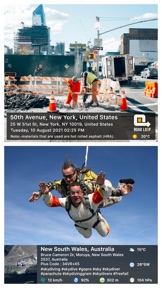
Regardless of whether It's your moment recollections or your visit at a specific destination, with GPS Map camera stamp application, add & stamp Date, time, Map, Latitude, Longitude, Altitude, Weather, Magnetic field, Compass to Your Camera Photos.
Track Live location along with your captured photos by GPS Map Camera: Geotag Photos Application. Send your Geo Location of Street / Place added photos to your Family & Friends, and let them know about your best earth travel memories and movements.
How to add GPS map location on photos?
~ Install GPS Map Camera: Geotag Photos From App Store.
~ Select Advance or classic Templates, Arrange Formats of Stamps, Change Settings according to Your requirement of GPS map Location Stamp
~ Add GPS Location stamps automatically to your clicked pictures
Interesting Features:
~ Get Custom GPS camera with Grid, Ratio, Front & Selfie camera, Flash, Focus, Mirror, Timer, capture sound Support
~ Set Map data as Automatic
~ Classic Template contains automatically fetched stamp details
~ In Advance Template Section:
- Custom maps options: Change Map type from Normal, Satellite, Terrain, Hybrid Options
- Address: Add your selected Automatic location on the Photo
- Lat/Long: Set GPS Coordinates from DMS or Decimal Options for GPS Stamp
- Date & Time: Add Date & Timestamp from various formats as an image tag.
- Logo: Upload your own brand logo
- Note: Write relatable Notes
- Hashtags: You can also add hashtags related to your photos with this GPS app
- Weather: Either in Fahrenheit or Celsius, Measure Temperature Units
- Compass: Auto compass direction
- Magnetic Field: Auto magnetic field Details
- Wind: Measure Wind speed
- Humidity: Auto Humidity measurement
- Pressure: Measure pressure of the place
- Altitude: It will automatically calculate Altitude
- Accuracy: Get auto accuracy on image
Why to have GPS Map Camera Application in Your Smartphone
- To Add Satellite Map Stamp on Photos
- To Add GPS Map Location Stamp to Photos
- To Add Geotag Stamp on photos
- To Add Photo Location stamp
- To Add Date Timestamp
- To Add Longitude, Latitude, Address, Date Time, Location stamp to Photos
- To Check GPS tracker Stamp on Photos
- To Get Geo Location image Stamp
- Camera timestamp, having custom stamps for adding details manually
Most Efficient Application For Following Groups of People:
-Travelers & Explorers can effectively utilize Geo-tagging camera app
- People who associated with business related to real estate, Infrastructure, Architecture can easily apply GPS Map Location stamp to their Site Photos
- Individuals having Destination celebrations of events like Wedding, Birthdays, Festivals, Anniversaries, etc. Can have their current GPS location stamp on the picture.
- Anyone who wants to add GPS Details on their photo as a GPS notecam can use the App.
- Persons having outstation Meetings, conferences, Conclaves, Meetups, Events arranged by companies or Institutions solving and serving a particular purpose
- Travel, Food, Fashion & Art Bloggers can advance their experiences by adding GPS Location through GPS Map Cam
- Place Oriented businesses, where You require sending images with Live Location To Clients
For experimenting with such Interesting Features, MUST Download GPS Map Camera: Geotag Photos Application Right now in your Smartphone.
Do not forget to share your best experiences with us through Rate & Review.

Neue Funktionen von Version 1.6.4

- Added HD quality image

Anbieter

Name

Chirag Gabani

Informationen

Entwickler

Kategorien

Version

1.6.4

Größe

60,9 MB

Game Center

Nein

VPP Device Licensing

Ja

Bewertung

Altersfreigabe: 4+

Kompatibilität

iOS 14.0 oder neuer

Geräte

iPhone 5s, iPhone 6, iPhone 6 Plus, iPhone 6s, iPhone 6s Plus, iPhone SE, iPhone 7, iPhone 7 Plus, iPhone 8, iPhone 8 Plus, iPhone X, iPhone XR, iPhone XS, iPhone XS Max, iPhone 11, iPhone 11 Pro, iPhone 11 Pro Max, iPhone SE (2. Generation), iPhone 12, iPhone 12 Pro, iPhone 12 Pro Max, iPhone 12 mini, iPhone 13, iPhone 13 Pro, iPhone 13 Pro Max, iPhone 13 mini, iPhone SE (3. Generation), iPhone 14, iPhone 14 Plus, iPhone 14 Pro, iPhone 14 Pro Max, iPhone 15, iPhone 15 Plus, iPhone 15 Pro, iPhone 15 Pro Max, iPhone 16, iPhone 16Plus, iPhone 16Pro, iPhone 16ProMax, iPad (5. Generation) Wi-Fi, iPad (5. Generation) Wi-Fi + Cellular, iPad (6. Generation) Wi-Fi, iPad (6. Generation) Wi-Fi + Cellular, iPad Pro, iPad Pro (Cellular), iPad Pro (9,7 Zoll), iPad Pro (9,7 Zoll) (Cellular), iPad Pro (12,9", 2. Generation), iPad Pro (12,9", 2. Generation) Wi-Fi + Cellular, iPad Pro (10,5"), iPad Pro (10,5") Wi-Fi + Cellular, iPad Pro (11"), iPad Pro (11") Wi-Fi + Cellular, iPad Pro (12,9", 3. Generation), iPad Pro (12,9", 3. Generation) Wi-Fi + Cellular, iPad Air, iPad Air (Cellular), iPad Air 2, iPad Air 2 (Cellular), iPad Air (3. Generation), iPad Air (3. Generation) Wi-Fi + Cellular, iPad mini Retina, iPad mini Retina (Cellular), iPad mini 3, iPad mini 3 (Cellular), iPad mini 4, iPad mini 4 (Cellular), iPad mini (5. Generation), iPad mini (5. Generation) Wi-Fi + Cellular, iPad (7. Generation) Wi-Fi + Cellular, iPad Pro 11" (2. Generation), iPad Pro 11" (2. Generation) Wi-Fi + Cellular, iPad Pro 12,9" (4. Generation), iPad Pro 12,9" (4. Generation) Wi-Fi + Cellular, iPad Air (4. Generation) (Wi-Fi), iPad Air (4. Generation) (Wi-Fi + Cellular), iPad (8. Generation) Wi-Fi, iPad (8. Generation) Wi-Fi + Cellular, iPad Pro 11" (3. Generation), iPad Pro 11" (3. Generation) Wi-Fi + Cellular, iPad Pro 12,9" (5. Generation), iPad Pro 12,9" (5. Generation) Wi-Fi + Cellular, iPad (9. Generation), iPad (9. Generation) Wi-Fi + Cellular, iPad mini (6. Generation), iPad mini (6. Generation) Wi-Fi + Cellular, iPad Air (5. Generation), iPad Air (5. Generation) Wi-Fi + Cellular, iPad Pro 11" (4. Generation), iPad Pro 11" (4. Generation) Wi-Fi + Cellular, iPad Pro (12,9", 6. Generation), iPad Pro (12,9", 6. Generation) Wi-Fi + Cellular, iPad (10. Generation), iPad (10. Generation) Wi-Fi + Cellular, iPad Air (11″, M2, Wi-Fi), iPad Air (13″, M2, Wi-Fi), iPad Air (13″, M2, Wi-Fi + Cellular), iPad Pro (11″, M4, Wi-Fi), iPad Pro (11″, M4, Wi-Fi + Cellular), iPad Pro (13″, M4, Wi-Fi), iPad Pro (13″, M4, Wi-Fi + Cellular), iPad MiniA17Pro, iPad MiniA17ProCellular, iPod touch (6. Generation), iPod touch (7. Generation)

Sprachen

Englisch, Französisch, Hindi, Indonesisch, Koreanisch, Portugiesisch, Russisch, Spanisch, Thailändisch, Vietnamesisch

App Store: Kundenbewertungen

Bewertungen & Rezensionen

4,5 von 5 (257 Bewertungen)

App Store: Kundenrezensionen

2024-11-17

Deutsch

Deutsche Sprache bitte
Uecsn
Version 1.6.3
2024-09-19

review

Perfecte app
balevic
Version 1.5.1
2023-12-04

I am very satisfied but I need the next version 1.4.33

I am very satisfied but I need the next version I am very satisfied but I need the next version
дими_0
Version 1.3.2
2022-10-03

Deutsche Version fehlt

Deutsche Version fehlt
Astrein
Version 1.2.8
2022-08-26

Wofür brachte die App das Mikrofon?

Ich finde das Layout der Fotos sehr schön, aber ich muss der App den Zugriff auf das Mikrofon erlauben. Warum? Ich möchte Fotos machen, da brauche das nicht. Und die entsprechende Zustimmung - kein Foto. Nein, Danke!
vermessungskünstler
Version 1.2.8
2022-08-24

Unausgereift

karte lässt sich nicht öffnen
Kein Deutsch menu
ögik
Version 1.2.8