InfoBedingungenDatenschutzKontakt
 
Wird aktualisiert
WiFi Album Transfer Pro

WiFi Album Transfer Pro

Veröffentlicht: 2011-09-23
© soft5a.com
WiFi Album Transfer Pro - QR Code
Version 3.7
4+
Laden im App Store
Version 3.7
4+
Laden im App Store
Veröffentlicht: 2011-09-23
© soft5a.com

iPhone Screenshots

Screenshot
Screenshot
Screenshot

iPad Screenshots

Screenshot
Screenshot
Screenshot

Beschreibung

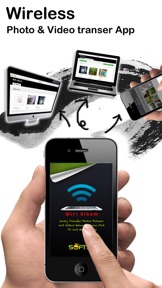
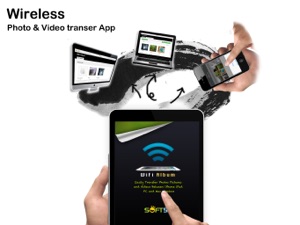
WiFi Album allows you to quickly move photos and videos between iPhone, iPad, Mac or PC using your local wifi network, no cables or extra software required.
Features include:
► Easily transfer pictures and videos from your iPhone, iPad or iPod touch to your Windows or Mac Computer
► Quickly move photos from iPhone to iPad and viceversa
► Upload photos and videos from your PC or Mac to your iPad, iPhone or iPod touch
► Transfer HD videos in from iPhone or iPod Touch to your iPad and viceversa
► Transfer photos & videos in all directions over Wifi (Device to/from Computer, Device to/from Device)
► Transfer photos in full resolution, photos are not reduced in quality as with other apps
► Use any web browser on your computer or new desktop application to quickly transfer between your device and your computer. Free desktop app available for Mac and Windows computers
► Works with web browsers running in Windows, Mac and Linux computers
► Your photos and videos are transferred directly from device to device using your local wifi network. They are not stored in an external server and they never leave your local wifi network keeping your photos safe
► Pay only ONCE to install this app on your iPhone and iPad (as long as the same iTunes account is used on both devices)
To manage your album in computer, Just start the app and enter the displayed address into the address bar of your browser. Works with any computer that has a modern browser (like desktop or portable computers, iPads, or even an other iPhone) and is on the same wifi network as your iPhone, iPod or iPad.
- View albums on PC directly
- Easy put photos/videos on iPod/iPhone/iPad without iTunes
***************** How To Use WiFi Album *******************
Online manual: http://www.soft5a.com/wifi-album/v1.48/en/
Transfer photo and video with iOS devices:
1 Run Wifi Album in your iOS devices, such as your iPhone and iPad, the screen display should show "Direct your computer's web browser to: http://xxx.xxx.xxx.xxx:8080", this mean you
have a wifi network and run ok.
2 Switch to "Devices tab", you will see the other device, if nothing found, press the refresh button on the right and waiting.
3 Click device in "Devices" tab to view the shared files, you can download them in detail page.
Transfe photo and video with computer:
1 Open the App, the screen display should show "Direct your
computer's web browser to: http://xxx.xxx.xxx.xxx:8080", this mean you have a wifi network and run ok.
2 Open web browser in PC or other device, enter the"http://xxx.xxx.xxx.xxx:8080" in address field, you should see the web interface of Album
3 You can upload and download in this web interface.

Neue Funktionen von Version 3.7

- View photo location details and open available locations in Maps.
- More flexible sharing controls for albums and individual items.
- Bug fixes and stability improvements.

Informationen

Entwickler

Version

3.7

Größe

10,1 MB

Game Center

Nein

VPP Device Licensing

Ja

Bewertung

Altersfreigabe: 4+

Kompatibilität

iOS 15.0 oder neuer

Geräte

iPhone 5s, iPhone 6, iPhone 6 Plus, iPhone 6s, iPhone 6s Plus, iPhone SE, iPhone 7, iPhone 7 Plus, iPhone 8, iPhone 8 Plus, iPhone X, iPhone XR, iPhone XS, iPhone XS Max, iPhone 11, iPhone 11 Pro, iPhone 11 Pro Max, iPhone SE (2. Generation), iPhone 12, iPhone 12 Pro, iPhone 12 Pro Max, iPhone 12 mini, iPhone 13, iPhone 13 Pro, iPhone 13 Pro Max, iPhone 13 mini, iPhone SE (3. Generation), iPhone 14, iPhone 14 Plus, iPhone 14 Pro, iPhone 14 Pro Max, iPhone 15, iPhone 15 Plus, iPhone 15 Pro, iPhone 15 Pro Max, iPhone 16, iPhone 16 Plus, iPhone 16 Pro, iPhone 16 Pro Max, iPhone 16e, iPhone 17, iPhone 17 Pro, iPhone 17 Pro Max, iPhone Air, iPhone 17e, iPad (5. Generation) Wi-Fi, iPad (5. Generation) Wi-Fi + Cellular, iPad (6. Generation) Wi-Fi, iPad (6. Generation) Wi-Fi + Cellular, iPad Pro, iPad Pro (Cellular), iPad Pro (9,7 Zoll), iPad Pro (9,7 Zoll) (Cellular), iPad Pro (12,9", 2. Generation), iPad Pro (12,9", 2. Generation) Wi-Fi + Cellular, iPad Pro (10,5"), iPad Pro (10,5") Wi-Fi + Cellular, iPad Pro (11"), iPad Pro (11") Wi-Fi + Cellular, iPad Pro (12,9", 3. Generation), iPad Pro (12,9", 3. Generation) Wi-Fi + Cellular, iPad Air, iPad Air (Cellular), iPad Air 2, iPad Air 2 (Cellular), iPad Air (3. Generation), iPad Air (3. Generation) Wi-Fi + Cellular, iPad mini Retina, iPad mini Retina (Cellular), iPad mini 3, iPad mini 3 (Cellular), iPad mini 4, iPad mini 4 (Cellular), iPad mini (5. Generation), iPad mini (5. Generation) Wi-Fi + Cellular, iPad (7. Generation) Wi-Fi + Cellular, iPad Pro 11" (2. Generation), iPad Pro 11" (2. Generation) Wi-Fi + Cellular, iPad Pro 12,9" (4. Generation), iPad Pro 12,9" (4. Generation) Wi-Fi + Cellular, iPad Air (4. Generation) (Wi-Fi), iPad Air (4. Generation) (Wi-Fi + Cellular), iPad (8. Generation) Wi-Fi, iPad (8. Generation) Wi-Fi + Cellular, iPad Pro 11" (3. Generation), iPad Pro 11" (3. Generation) Wi-Fi + Cellular, iPad Pro 12,9" (5. Generation), iPad Pro 12,9" (5. Generation) Wi-Fi + Cellular, iPad (9. Generation), iPad (9. Generation) Wi-Fi + Cellular, iPad mini (6. Generation), iPad mini (6. Generation) Wi-Fi + Cellular, iPad Air (5. Generation), iPad Air (5. Generation) Wi-Fi + Cellular, iPad Pro 11" (4. Generation), iPad Pro 11" (4. Generation) Wi-Fi + Cellular, iPad Pro (12,9", 6. Generation), iPad Pro (12,9", 6. Generation) Wi-Fi + Cellular, iPad (10. Generation), iPad (10. Generation) Wi-Fi + Cellular, iPad Air (11″, M2, Wi-Fi), iPad Air (13″, M2, Wi-Fi), iPad Air (13″, M2, Wi-Fi + Cellular), iPad Pro (11″, M4, Wi-Fi), iPad Pro (11″, M4, Wi-Fi + Cellular), iPad Pro (13″, M4, Wi-Fi), iPad Pro (13″, M4, Wi-Fi + Cellular), iPad mini (A17 Pro) Wi-Fi, iPad mini (A17 Pro) Wi-Fi + Cellular, iPad (A16) Wi-Fi, iPad (A16) Wi-Fi + Cellular, iPad Air 11" (M3) Wi-Fi, iPad Air 11" (M3) Wi-Fi + Cellular, iPad Air 13" (M3) Wi-Fi, iPad Air 13" (M3) Wi-Fi + Cellular, iPad Pro (11″, M5, Wi-Fi), iPad Pro (11″, M5, Wi-Fi + Cellular), iPad Pro (13″, M5, Wi-Fi), iPad Pro (13″, M5, Wi-Fi + Cellular), iPad Air 11" (M4) Wi-Fi, iPad Air 11" (M4) Wi-Fi + Cellular, iPad Air 13" (M4) Wi-Fi, iPad Air 13" (M4) Wi-Fi + Cellular, iPod touch (6. Generation), iPod touch (7. Generation)

Sprachen

Deutsch, Chinesisch, Englisch, Französisch, Japanisch, Koreanisch, Portugiesisch, Spanisch

App Store: Kundenbewertungen

Bewertungen & Rezensionen

4,6 von 5 (9 Bewertungen)

App Store: Kundenrezensionen

2024-09-04

Funktioniert seit dem iphone 14pro nicht mehr

2€ bezahlt, da ich hoffte das die Version bei meinem iPhone geht, ist aber genau die gleiche Version wie die kostenlose. Für mich Abzocke.
bortilein
Version 2.2
2020-02-08

Awesome!

It just works great. I tried it on the free version and got the payed version just to support the developer. Both work great!
Rezensioneer
Version 1.50
2019-08-19

Super 👍

Funktioniert wie gehofft. Endlich auch mit HTML 5 Upload.
Sigint112
Version 2.2
2017-10-14

Very good

It works like a charm ;-)
MissChaos7000
Version 1.90
2017-03-29

6 setzen

Anfangs hatte ich die Free Version zum testen. Für gut befunden und Vollversion gekauft.
Lief auf meinem IPod Touch 4G wunderbar unter ios6.
Ich konnte ganz leicht Fotos von meinem IPhone auf meinem alten iPod laden. Nun wollte ich nach Monaten die App wieder mal nutzen und nun geht nichts mehr, weil man seit dem Update, mindestens ios7 braucht. Hat der iPod natürlich nicht, somit ist die App nun inkompatibel dank euch!!!
Sway68
Version 2.0
2014-11-29

Geht unter iso 8 nicht Bilder laden nicht auf das iPhone 6

Geht unter iso 8 nicht Bilder laden nicht auf das iPhone 6
Lästertest
Version 1.3
2013-04-01

Mist

Ist der letzt Mist. Habe erst die lite version gehabt, funktionierte nicht. Danach gekauft und funktioniert immer noch nich. Lasst die Finger von dieser App
Mdani85
2011-12-22

Gute Idee

Funktioniert im Prinzip aber stürzt dauernd ab und funktioniert dann wieder nur nach App close und Restart. Bitte updaten dann gibts 5 Sterne
Ratsn