InfoBedingungenDatenschutzKontakt
 
Wird aktualisiert
Doc Scan Pro - Fax PDF Scanner

Doc Scan Pro - Fax PDF Scanner

Veröffentlicht: 2011-11-12
© 2011 IFUNPLAY CO,. LTD.
Doc Scan Pro - Fax PDF Scanner - QR Code
Version 14.5
4+
Laden im App Store
Version 14.5
4+
Laden im App Store
Veröffentlicht: 2011-11-12
© 2011 IFUNPLAY CO,. LTD.
±0

iPhone Screenshots

Screenshot
Screenshot
Screenshot
Screenshot
Screenshot
Screenshot
Screenshot
Screenshot
Screenshot
Screenshot

iPad Screenshots

Screenshot
Screenshot
Screenshot
Screenshot
Screenshot
Screenshot
Screenshot
Screenshot
Screenshot

Beschreibung

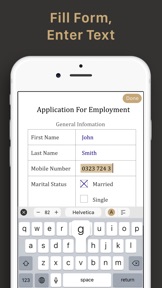
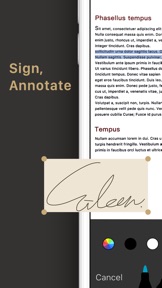
Scan documents to produce sharp images, draw lines, enter texts, fill forms, and sign.
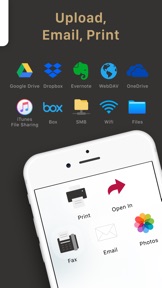
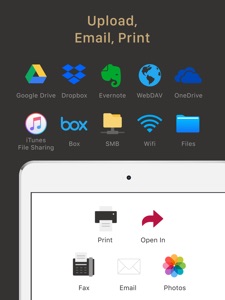
Share as PDF / JPEG by email, iTunes / WiFi file sharing, cloud storages, SMB, WebDAV, and FAX.
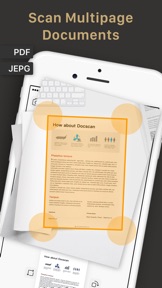
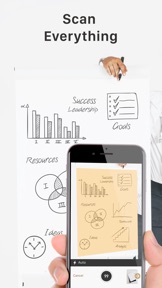
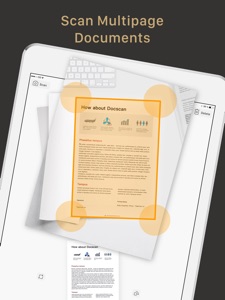
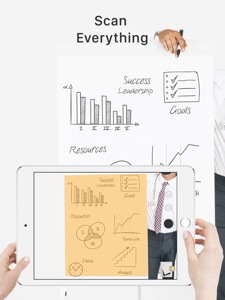
DocScan Pro lets you instantly scan multi-pages document and send out when there is no scanner nearby. By having it, you can scan not only documents in sight, but also whiteboards, receipts, business cards, posters, coupons, books ...etc.
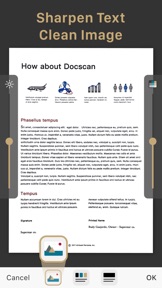
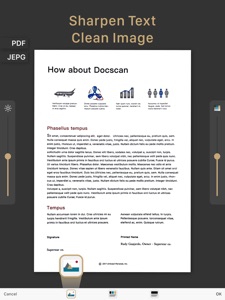
It can fast auto-detect document edges from a picture, correct perspective distortion, remove shadows and brighten it up to produce a clear and sharp document, especially useful in a Low-Light environment.
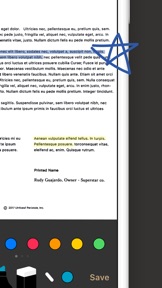
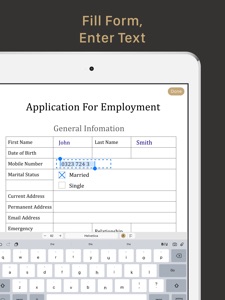
You can enter texts to fill forms, draw lines, annotate, or sign on the scanned image anytime.
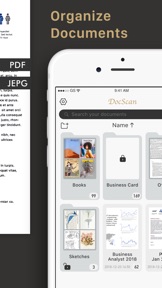
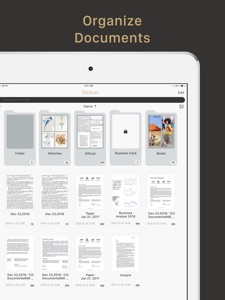
When you have a long list of documents, it is easy to search documents by name and use folders for organizing documents: create, delete, rename, and move documents between folders. You can also use a ​password to protect documents in a folder from unauthorized view.
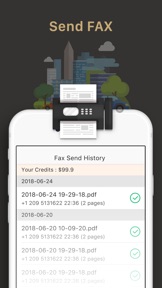
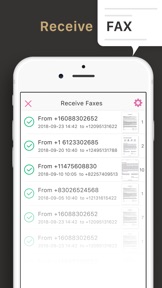
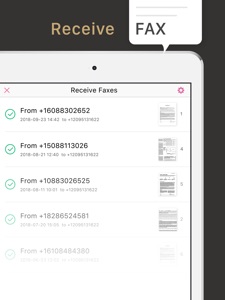
In-app fax sending and receiving is convenient especially when you are out of office or have no fax machine at all.
You will receive a push notification when a fax is sent or received successfully​ or failed for what reason.
Each PDF file can be accessed directly from iTunes file sharing or WiFi file sharing. You can also email documents out as PDF or JPEG files.
Other ways to export documents:
- Fax documents to over 100 countries instantly (cost calculated by the number of pages and recipient country and paid via in-app purchase).
- Support upload to iCloud Drive.
- Support export to Dropbox.
- Support export to Evernote.
- Support export to Box.
- Support export to OneDrive.
- Support export to Google Drive with OCR (Optical Character Recognition) option.
- Support export to SMB.
- Support export to WebDAV Server.
- Print documents via AirPrint.
- Save documents to Photo Albums.
- "Open In" Other Apps, i.e. iBooks, Kindle, …etc.
Import Files:
- Import JPEG from other apps as image source to crop, perspective correction, and image enhancement.
- Import PDF from other apps as scanned pages.
Backup and Restore documents: (paid function via in-app purchase)
- Backup your documents safely to Mac / PC. Whenever you buy a new phone or lose access to your old one, you will still be able to restore them.
- Restore deleted documents manually. It is very useful especially when you accidentally delete important documents.
- Restore to any date like a time machine. You can keep multiple backups on different dates.
Receive faxes: (non-auto-renew subscription)
Support dozens of countries (we kept adding more) for users to subscribe a fax number for receiving faxes.
Tip: For best edge detection, please place your documents in high contrast to the background, i.e. put your white paper on a dark table.
Your feedbacks are very important to us.
Please contact DocScan Pro customer service at support@ifunplay.com for resolving problems before submitting feedback in app store. Most problems can be solved easily, but we cannot help you solve problems from the comments.

Neue Funktionen von Version 14.5

1. Fix the bug that shows a black screen after tapping on the more option any cloud storage service.
2. Fix the app crash when importing a password protected PDF.
3. Fix the app crash when uploading files to Dropbox.
4. Fine tune some UIs for better understanding.

Anbieter

Name

IFUNPLAY CO., LTD.

Informationen

Kategorien

Version

14.5

Größe

52,8 MB

Game Center

Nein

VPP Device Licensing

Ja

Bewertung

Altersfreigabe: 4+

Kompatibilität

iOS 11.0 oder neuer

Geräte

iPad Pro (11"), iPad (5. Generation) Wi-Fi, iPad (6. Generation) Wi-Fi, iPod touch (6. Generation), iPad Pro (11") Wi-Fi + Cellular, iPad (6. Generation) Wi-Fi + Cellular, iPad Pro (12,9", 3. Generation), iPad (5. Generation) Wi-Fi + Cellular, iPad mini (5. Generation) Wi-Fi + Cellular, iPad mini (5. Generation), iPad Pro, iPad mini 3, iPad mini 4 (Cellular), iPad mini 4, iPad Pro (Cellular), iPad Pro (9,7 Zoll) (Cellular), iPad Pro (10,5") Wi-Fi + Cellular, iPad Pro (9,7 Zoll), iPad Air (3. Generation) Wi-Fi + Cellular, iPhone 6 Plus, iPad Air (3. Generation), iPad Pro (10,5"), iPad Pro (12,9", 2. Generation) Wi-Fi + Cellular, iPhone 6, iPhone XR, iPhone XS, iPhone 6s, iPhone SE, iPhone 7 Plus, iPhone 6s Plus, iPhone 5s, iPhone X, iPhone 8, iPhone XS Max, iPhone 8 Plus, iPhone 7, iPhone 5, iPad (7. Generation) Wi-Fi, iPhone 5c, iPad (7. Generation) Wi-Fi + Cellular, iPad Air3, iPad Air3Cellular, iPad Mini5, iPad Mini5Cellular, iPad Pro (12,9", 3. Generation) Wi-Fi + Cellular

Sprachen

Englisch

App Store: Kundenbewertungen

Bewertungen & Rezensionen

5,0 von 5 (1 Bewertung)

App Store: Kundenrezensionen

2014-10-23

Super Tool !

Schnell und einfach kann man hier seine Dokumente sichern 😀
Angkor2010
Version 5.4
2013-07-06

Sehr gute App!

Update 6. Juli 2013:
App stürzt jedes mal ab wenn ich etwas speichern möchte. Meine Ordner mit allen Dokumenten würde beim Crash gelöscht :(
Hatte bis jetzt nur die normale Version!
Hab mir jetzt Pro gekauft, weil ich nun unterwegs einen vollwertigen Scanner habe! Ich kann an der Uni Dokumente, Aufschriebe usw. von Kollegen abgotografieren und habe diese dann als richtige PDF Dateien! Funktioniert wirklich super! - Wünsche mir jedoch den Knopf zum Foto machen unten am Screen und nicht an der Seite!
SUPPORT***SUPPORT!!!
Gruß
Nick
2. Sem WiWi
Sp4ddl
Version 4.6
2013-03-27

Super App

Ich archiviere all meine Belege Und Quittungen und es funktioniert spitze :)
Weiter so!!!
Young generaton
Version 6.0
2013-01-09

Beste

Mit Abstand der Beste iPhone Scanner
Mr.BendUb
Version 4.2
2012-07-25

Sehr gutes Scanprogi

Bestes Scanprogramm mit sehr guter Nachbearbeitung und vielen Exportmöglichkeiten (Proversion)
Ronevi
Version 4.5
2012-07-12

Developers respond very quickly to feedback

The app is really good. When I reported an issue about the brightness adjustment, the developers responded really quickly and with the latest update it works well again.
For me it's a four stars app plus an extra one for the fast response time of the developers.
The Txx
Version 7.0
2012-04-18

Sehr gute Nachbearbeitung…

Viele Manuelle und Automaische Bearbeitungsfunktionen. Auslösen der Kamera über die Lautstärketaste, Klasse.
Allerdings vermisse ich einen Bild Stabilisator (Picture Stabilizer).
Bei unruhiger Hand wird die Schrift unscharf.
My Wischlist:
1.Eine eigene OCR (wie die „Perfect OCR“ APP (Die Google Docs OCR ist eine Katastrophe)).
2.einen Bild Stabilisator (Picture Stabilizer).
3.Mehrere Dokumente in einem Rutsch aufzunehmen (wie in der „CamScanner+“ APP)
Dann gibt es auch 5 Punkte.
FL001
Version 8.8