InfoBedingungenDatenschutzKontakt
 
Wird aktualisiert
Speeches App

Speeches App

Veröffentlicht: 2012-10-28
© 2017 The Mental Faculty B.V.
Speeches App - QR Code
Version 2.3
4+
Laden im App Store
Version 2.3
4+
Laden im App Store
Veröffentlicht: 2012-10-28
© 2017 The Mental Faculty B.V.

iPhone Screenshots

Screenshot
Screenshot
Screenshot
Screenshot
Screenshot

iPad Screenshots

Screenshot
Screenshot
Screenshot
Screenshot
Screenshot

Beschreibung

Speeches is an App for preparing and delivering speeches and pitches. Prepare speaker's notes and deliver a great speech — perfectly timed — no matter what the occasion.
Be it a wedding speech, sermon, business presentation, or evening at the debating club, navigating your notes is that much easier with Speeches as your portable teleprompter.
Prepare your notes directly in Speeches on your iPhone or iPad, or import a text file from Mail or another App (e.g. Dropbox, Files). You can also email your speech to solicit feedback from friends and colleagues, and your speeches sync between devices with iCloud.
Speeches helps with your preparation. Organize notes, set a speech duration, and practice to make sure you can finish on time. Having difficulty with a particular section? Jump to any note and continue from there.
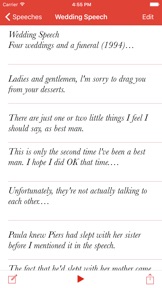
Once your speech is prepared, it's time to deliver. Speeches presents your notes as easy to navigate cue cards. No more juggling of paper notes, or fiddly scrolling in an App not designed for the pressure of public speaking. Just swipe back and forth. Simple gestures keep you focussed on speaking, and not on negotiating your notes.
Speeches goes well beyond paper notes when it comes to keeping track of your time. The onscreen timing meter shows at a glance exactly how far along you are. A second bar shows your progress through the notes. By comparing the two, you can see if you are going too fast or too slow.
In short, Speeches is the App you need to write, practice and deliver your next speech with precision and confidence.
F E A T U R E S
– Universal app optimized for both iPhone and iPad
– Keep speeches in sync between your devices with iCloud
– Prepare speaker's notes on your iOS devices
– Swipe through cue cards to practice your speech
– Unique timing meter shows time and progress through notes
– Set speech duration down to the second
– Import text files from Mail, Files and Dropbox
– Split any note in two while editing
– Mail your speeches to others
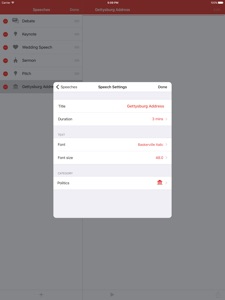
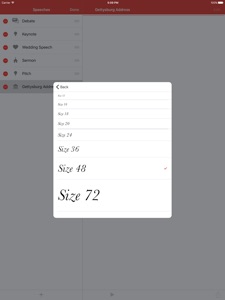
– Customize font and font size of notes
– Set speech category

Neue Funktionen von Version 2.3

Fixed a number of layout issues on iPhone X.

Anbieter

Name

The Mental Faculty

Informationen

Kategorien

Version

2.3

Größe

11,8 MB

Game Center

Nein

VPP Device Licensing

Ja

Bewertung

Altersfreigabe: 4+

Kompatibilität

iOS 11.0 oder neuer

Geräte

iPhone 5s, iPhone 6, iPhone 6 Plus, iPhone 6s, iPhone 6s Plus, iPhone SE, iPhone 7, iPhone 7 Plus, iPhone 8, iPhone 8 Plus, iPhone X, iPhone XR, iPhone XS, iPhone XS Max, iPhone 11, iPhone 11 Pro, iPhone 11 Pro Max, iPhone SE (2. Generation), iPhone 12, iPhone 12 Pro, iPhone 12 Pro Max, iPhone 12 mini, iPhone 13, iPhone 13 Pro, iPhone 13 Pro Max, iPhone 13 mini, iPhone SE (3. Generation), iPhone 14, iPhone 14 Plus, iPhone 14 Pro, iPhone 14 Pro Max, iPhone 15, iPhone 15 Plus, iPhone 15 Pro, iPhone 15 Pro Max, iPhone 16, iPhone 16Plus, iPhone 16Pro, iPhone 16ProMax, iPad (5. Generation) Wi-Fi, iPad (5. Generation) Wi-Fi + Cellular, iPad (6. Generation) Wi-Fi, iPad (6. Generation) Wi-Fi + Cellular, iPad Pro, iPad Pro (Cellular), iPad Pro (9,7 Zoll), iPad Pro (9,7 Zoll) (Cellular), iPad Pro (12,9", 2. Generation), iPad Pro (12,9", 2. Generation) Wi-Fi + Cellular, iPad Pro (10,5"), iPad Pro (10,5") Wi-Fi + Cellular, iPad Pro (11"), iPad Pro (11") Wi-Fi + Cellular, iPad Pro (12,9", 3. Generation), iPad Pro (12,9", 3. Generation) Wi-Fi + Cellular, iPad Air, iPad Air (Cellular), iPad Air 2, iPad Air 2 (Cellular), iPad Air (3. Generation), iPad Air (3. Generation) Wi-Fi + Cellular, iPad mini Retina, iPad mini Retina (Cellular), iPad mini 3, iPad mini 3 (Cellular), iPad mini 4, iPad mini 4 (Cellular), iPad mini (5. Generation), iPad mini (5. Generation) Wi-Fi + Cellular, iPad (7. Generation) Wi-Fi + Cellular, iPad Pro 11" (2. Generation), iPad Pro 11" (2. Generation) Wi-Fi + Cellular, iPad Pro 12,9" (4. Generation), iPad Pro 12,9" (4. Generation) Wi-Fi + Cellular, iPad Air (4. Generation) (Wi-Fi), iPad Air (4. Generation) (Wi-Fi + Cellular), iPad (8. Generation) Wi-Fi, iPad (8. Generation) Wi-Fi + Cellular, iPad Pro 11" (3. Generation), iPad Pro 11" (3. Generation) Wi-Fi + Cellular, iPad Pro 12,9" (5. Generation), iPad Pro 12,9" (5. Generation) Wi-Fi + Cellular, iPad (9. Generation), iPad (9. Generation) Wi-Fi + Cellular, iPad mini (6. Generation), iPad mini (6. Generation) Wi-Fi + Cellular, iPad Air (5. Generation), iPad Air (5. Generation) Wi-Fi + Cellular, iPad Pro 11" (4. Generation), iPad Pro 11" (4. Generation) Wi-Fi + Cellular, iPad Pro (12,9", 6. Generation), iPad Pro (12,9", 6. Generation) Wi-Fi + Cellular, iPad (10. Generation), iPad (10. Generation) Wi-Fi + Cellular, iPad Air (11″, M2, Wi-Fi), iPad Air (13″, M2, Wi-Fi), iPad Air (13″, M2, Wi-Fi + Cellular), iPad Pro (11″, M4, Wi-Fi), iPad Pro (11″, M4, Wi-Fi + Cellular), iPad Pro (13″, M4, Wi-Fi), iPad Pro (13″, M4, Wi-Fi + Cellular), iPad MiniA17Pro, iPad MiniA17ProCellular, iPod touch (6. Generation), iPod touch (7. Generation)

Sprachen

Englisch

App Store: Kundenbewertungen

Bewertungen & Rezensionen

1,0 von 5 (1 Bewertung)

App Store: Kundenrezensionen

2018-06-06

Klasse

tut was sie soll! Einfach zu handhaben! Ist klasse für Reden und Vorträge. Schön wäre es noch für die Zukunft, wenn dir App Fettgedrucktes und Farbiges übernehmen würde. Ansonsten ein prima Tool!
Ellmaddy
Version 2.1
2014-11-14

Finger weg!

Es kann ja wohl nicht sein, dass das App nur txt lesen kann, und dann auch noch alle Umlaute falsch Liest!
Voller Nerv Faktor! So nicht!
e-mehl
Version 1.4.1
2014-05-01

Praktischer Helfer für Reden

Tut, was es soll. Einfache Handhabung ohne überflüssigen Schnickschnack. Zwei Vorschläge:
1) zusätzlich zum Blätter über die Wischgeste, das Blättern über +/- Tasten erlauben ... sehr praktisch bei reiner Einhandbedienung am iPhone.
2) Synchronisation (zB via iCloud) zwischen iPhone und iPad wäre gut.
PS62
Version 1.4.1