Wird aktualisiert


iPhone Screenshots

iPad Screenshots
Beschreibung
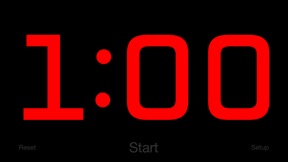
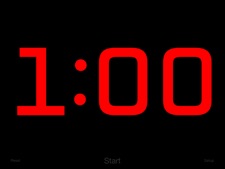
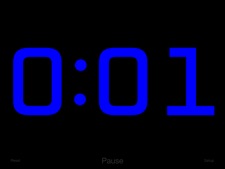
Replace the old sand timer in your favorite game with one that packs a punch! The countdown takes center stage in this app. A giant red timer flashes as it counts down the final seconds, then blasts an air horn to let everyone know that time is up!
Perfect for classrooms, debates, game shows, sporting events, or anywhere a highly visible timer is needed.
Features:
+ Beautiful design, maximizing countdown visibility
+ Tap anywhere to start or stop the countdown
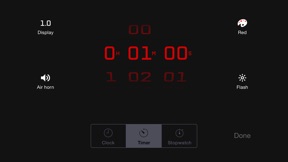
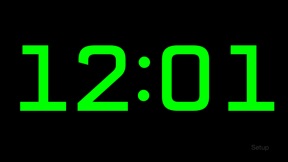
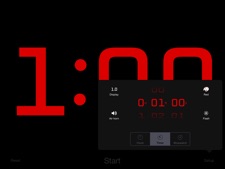
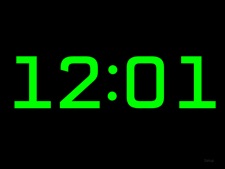
+ Three modes - stopwatch, timer, or clock
+ Set a countdown up to 10 hours
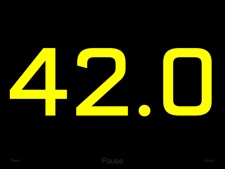
+ Display the time in red, orange, yellow, green, blue, or purple
Advanced features:
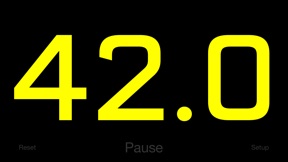
+ Optionally show tenths of a second during the last minute for extra excitement
+ Optionally flash during the last ten seconds
+ Optionally play an air horn or a chime sound when time is up (or you can turn off sounds)
+ Optionally show elapsed time after the timer reaches 0:00 (double-tap or long-press the Timer icon on the settings screen to choose)
+ The device will not sleep while the timer is running
+ Background notifications make sure you know when your timer ends
+ Double-tap the time on the settings screen to switch between 1, 5, and 15-second increments
Super-advanced features:
+ Control the timer remotely using a Bluetooth keyboard: The space bar starts/stops, escape resets, and you can change the countdown time by typing a number followed by enter.
+ Display the timer on an Apple TV using AirPlay mirroring, while keeping the controls visible only on your device!
Neue Funktionen von Version 2.5.1
2.5.0 changes:
Added an option to choose whether the timer stops or shows elapsed time after reaching 0:00
Double-tap or long-press the Timer icon on the settings screen to access this setting
2.5.1 changes:
Ensure the keyboard shortcut toolbar is not shown
Anbieter
Name
BitBit Apps, LLC
Informationen
Entwickler
Kategorien
Version
2.5.1
Größe
7,4 MB
Game Center
Nein
VPP Device Licensing
Ja
Bewertung
Altersfreigabe: 4+
Kompatibilität
iOS 7.1 oder neuer
Geräte
iPad Air (Cellular), iPad mini Retina (Cellular), iPad mini 4 (Cellular), iPad mini 3, iPad Pro (11"), iPad Air 2, iPad (6. Generation) Wi-Fi, iPad (5. Generation) Wi-Fi, iPad Pro (12,9", 2. Generation), iPad Pro (11") Wi-Fi + Cellular, iPad (5. Generation) Wi-Fi + Cellular, iPad Pro (12,9", 3. Generation) Wi-Fi + Cellular, iPad mini (5. Generation) Wi-Fi + Cellular, iPad Pro (12,9", 3. Generation), iPad Air (3. Generation), iPad Pro (12,9", 2. Generation) Wi-Fi + Cellular, iPad Air (3. Generation) Wi-Fi + Cellular, iPad Pro (10,5") Wi-Fi + Cellular, iPhone 6 Plus, iPhone 6s, iPhone 8 Plus, iPhone 8, iPad Pro (Cellular), iPad Pro (9,7 Zoll) (Cellular), iPad Pro (9,7 Zoll), iPhone 6s Plus, iPhone 5s, iPhone 7, iPhone 7 Plus, iPhone X, iPhone XR, iPhone SE, iPhone 6, iPhone XS Max, iPad Pro (10,5"), iPhone XS, iPad mini (5. Generation), iPad (6. Generation) Wi-Fi + Cellular, iPad Pro, iPod touch (6. Generation), iPad Air 2 (Cellular), iPad mini 4
Sprachen
Englisch
App Store: Kundenbewertungen
Bewertungen & Rezensionen
0,0 von 5 (Keine Bewertung)
App Store: Kundenrezensionen
Kein Eintrag